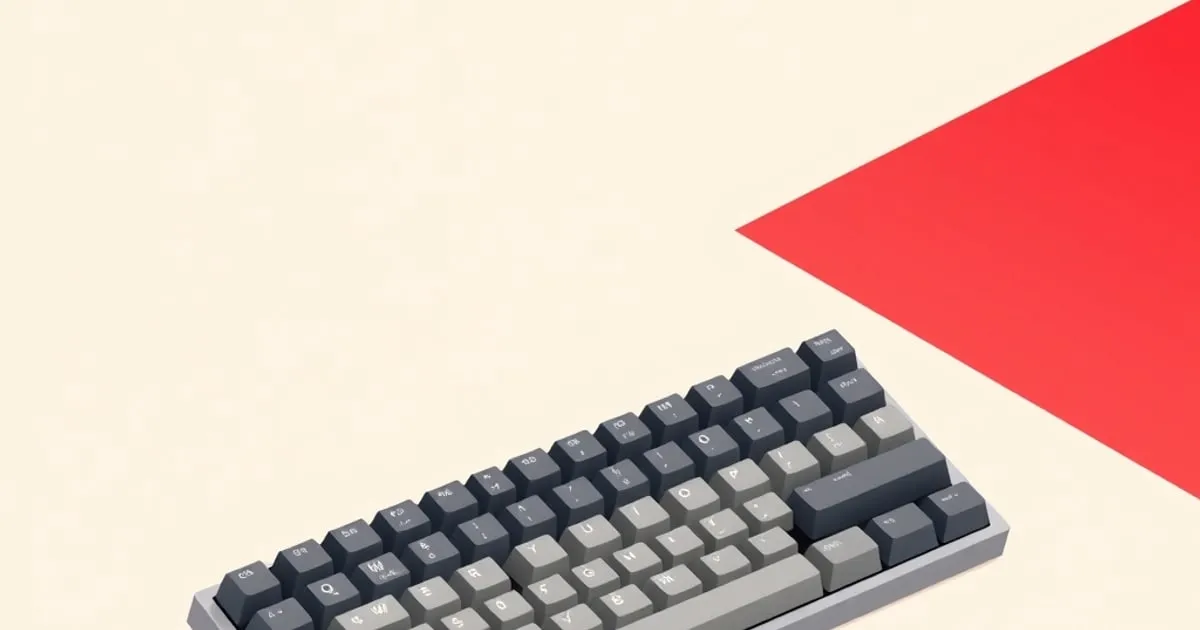
Best Mechanical Keyboard for Beginners 2026: Honest Picks for Every Budget
The best mechanical keyboard for beginners in 2026 doesn't need to cost $150. Here's a no-fluff decision tree and tier-by-tier breakdown covering hotswap
Finding the best mechanical keyboard for beginners in 2026 is genuinely less complicated than the hobby’s reputation suggests. Hotswap sockets are now standard at sub-$75 price points, ZMK firmware has made wireless boards reliably customizable, and the quality gap between “beginner” and “enthusiast” boards has compressed enough that your first board can carry you well past year one. The right call is mostly budget and use-case — not a deep-dive research project.
Route Your Decision First
Before any specific board recommendation, three questions narrow the field entirely.
Layout first. Your layout is the decision you live with on every keystroke. 75% keeps dedicated F-row and arrow keys while trimming numpad bulk — it’s the safest first layout. TKL (tenkeyless) gives the same key coverage with a wider frame. 65% is compact but drops the F-row, which frustrates beginners more than they expect. Skip 60% and below for a first board: layered functions take months to internalize, and you’ll form opinions about switches and sound before you’ve even adapted to the layout. Our keyboard layouts guide breaks down exactly what each size cuts.
Switch feel. For most new typists: tactile switches are the safer starting point. They provide physical feedback on actuation without clicky noise. Linear switches feel faster and quieter but require you to develop your own bottom-out discipline. Clicky switches (Blues and their variants) feel satisfying to type on — and will get you asked to leave every shared office in a week. The linear vs tactile vs clicky guide explains the force curves behind each feel, and the safest way to commit is to test switches with a switch tester before you buy.
Hotswap is mandatory. This is not a nice-to-have. A hotswap board lets you swap switches without soldering, which means when you decide the shipped Reds feel too light after three months, you swap in Boba U4Ts and the rest of the board stays exactly where you left it. The 2026 market puts hotswap sockets on almost everything above $45, so there’s no reason to compromise here — the hot-swap vs soldered breakdown covers why the small price premium is the cheapest insurance in the hobby.
Comparison: Top Beginner Picks
| Board | Layout | Case | Mount | Wireless | Firmware | Price |
|---|---|---|---|---|---|---|
| Keychron V1 Ultra 8K | 75% | Plastic + brass weight | Gasket | 2.4 GHz + BT 5.3 | ZMK | ~$115 |
| Keychron V1 Wired | 75% | ABS plastic | Gasket | No | QMK/VIA | ~$54 |
| Glorious GMMK 2 | 65% | Aluminum top | Tray | No | Glorious Core | ~$55 |
| Redragon K552 | TKL | Aluminum | Tray | No | Proprietary | ~$35 |
Tier-by-Tier Picks
Keychron V1 Ultra 8K — Best Overall
The V1 Ultra 8K ↗ at ~$115 covers almost every beginner-to-intermediate use case without forcing a tradeoff. The 75% layout preserves the F-row and dedicated arrows. Gasket mounting — where the PCB floats on silicone gaskets rather than screwing directly into the case — gives the typing surface a softer, less pingy feel than the price point suggests. Bottom-out has noticeable bounce instead of dead-stop clack.
It ships with Silk POM switches. The factory lube is real and actually applied to the housings — the stems are lightly done but not dry like many “pre-lubed” switches at this price. TechRadar’s hands-on found the battery life ↗ to be well over a month in real use — the 660-hour rated figure isn’t marketing fiction, it holds at moderate brightness. ZMK firmware means the remapping and layer configuration is done via a config file and compiled in the cloud — no proprietary software, no vendor lock-in, fully open.
The 8K polling rate matters if you’re gaming (lower input latency). If you’re typing, it’s irrelevant and the battery numbers above already factor it in at the standard 1K rate.
Switch options at purchase: red (linear, 45 gf), brown (light tactile), banana (light linear). Brown is the right call if you’re unsure.
Keychron V1 Wired — Best Under $60
At ~$54, the V1 wired is the floor below which I wouldn’t go for a first board that you won’t immediately regret. Same gasket mount as the Ultra 8K, same QMK + VIA firmware compatibility ↗ — the board is fully programmable without proprietary software. Hotswap. Tom’s Guide called it a fantastic starting point ↗ precisely because nothing about the build forces an early upgrade.
Watch-out on stabs: the factory stabilizers are adequate for lighter linears but rattle on heavier tactiles. A 30-minute bandaid mod — thin medical tape under the stabilizer plate, a drop of dielectric grease on the wire — eliminates it. It’s one of the first skills worth learning in the hobby and this board gives you the excuse.
Glorious GMMK 2 — Best 65% Gaming Pick
The GMMK 2 ↗ lands around $55 and is the cleaner call over the V1 wired if gaming is your primary use and you want the smaller footprint. The 65% layout frees up mouse room. The aluminum top frame eliminates the flex you feel on the V1’s ABS plastic sides. It ships with Fox linear switches that are factory-lubed with G-Lube — the lube is real, though heavier linears or tactiles will still benefit from a proper hand-lube session later.
The tray-mount means it’s firmer and slightly higher-pitched than a gasket board. For gaming that’s a non-issue; some typists actually prefer the direct feedback. The 2025 review from Reviews Inside ↗ confirmed the lubed stabilizers hold up well in extended use without creep.
Firmware caveat: Glorious Core is proprietary. You’re not getting QMK here. Remapping and lighting control works fine through Glorious’s software, but if you eventually want per-key hold-tap or combo layers, this board won’t follow you there.
Redragon K552 — If $35 Is the Hard Limit
The K552 is the answer to a hard $35 ceiling. Aluminum frame, Outemu switches, functional in ways a membrane board isn’t. But: no hotswap, plate-mount stabilizers that rattle out of the box, proprietary non-open firmware, and a sound profile that marketing would describe as “clicky” and I would describe as “clack plus rattle.” Plan to either live with the stab noise or spend 20 minutes modding it the first week. This is a board for someone genuinely unsure they’ll stay in the hobby — not one you’ll mod and keep.
Watch-Outs Beginners Miss
“Pre-lubed” is a spectrum. Marketing language for switches ranges from “actually lubed well” (Silk POM, Fox) to “lightly sprayed and technically not lying.” Dry stems are common even on advertised pre-lubed switches. Hand-lubing with Krytox 205g0 on linears or Tribosys 3203 on tactiles is worth doing eventually; the difference is audible, and our switch-lubing walkthrough covers the right amount per switch type.
Plate-mount stabilizers need a mod. If a board ships with plate-mount stabs (check the product page), the spacebar and shift will rattle. Screw-in stabs are better out of the box. Both can be improved. Neither is permanent — the stabilizers explained guide walks through the lube, clip, and band-aid fixes.
Proprietary firmware means future ceiling. QMK/VIA boards can be remapped, layered, and macro-programmed without software you don’t control, as covered in our QMK and VIA remapping guide. Proprietary firmware is fine until you want something the vendor didn’t implement.
Not all hotswap sockets fit all switches. Standard Kailh or Gateron hotswap sockets fit 3-pin and 5-pin MX-compatible switches. Topre, Hall-effect, optical, and Alps-mount switches need boards built for them specifically. For a beginner board, confirm MX-compatible sockets before buying non-standard switches.
For professionals who type heavily — developers, sysadmins, security analysts tracking incidents on outlets like TechSentinel ↗ — a proper first board is a genuine ergonomic investment, not a peripheral luxury. The boards above will carry you from “I want something better than membrane” through your first switch swap and well into the hobby. Start with the V1 wired at $54 if budget is tight, the V1 Ultra 8K at $115 if you want to land once and stop thinking about it.
Related Reading
- How to choose your first mechanical keyboard — the four decisions that matter before you spend
- Mechanical keyboard layouts — what you give up at each form factor
- Linear vs tactile vs clicky switches — picking a switch family
- Hot-swap vs soldered keyboards — why your first board should be hot-swap
- Understanding the mechanical keyboard hobby — the jargon and buying culture, decoded
Sources
- Keychron V1 Ultra 8K official product page ↗ — specs, switch variants, ZMK firmware documentation, and pricing from Keychron directly.
- Tom’s Guide: Keychron V1 Ultra 8K review ↗ — hands-on battery-life, typing feel, and 8K polling rate assessment.
- TechRadar: Keychron V1 Ultra 8K review ↗ — independent real-world battery duration and build quality verification.
- Reviews Inside: Glorious GMMK 2 review ↗ — switch lube evaluation, aluminum frame durability, and gaming-vs-typing verdict.
- RTINGS.com: Best Mechanical Keyboards ↗ — aggregated benchmark data across 100+ boards including beginner-tier options, methodology documented.
Sources
Related

How to Choose Your First Mechanical Keyboard the Smart Way
A no-hype framework for buying your first mechanical keyboard: prebuilt vs hot-swap vs kit, the four decisions that matter, and the upgrade traps that

How to Find Your Switch Preference With a Switch Tester
A practical method for discovering which mechanical switch you actually like — how to use a switch tester properly, why first impressions mislead, and how

Hot-Swap vs Soldered Keyboards: Which Should You Buy?
A clear comparison of hot-swap and soldered mechanical keyboards — what each actually means, the real tradeoffs in cost, durability, and flexibility, and